🔑 Password Hashing: How bcrypt and Argon2 Keep Your Data Safe
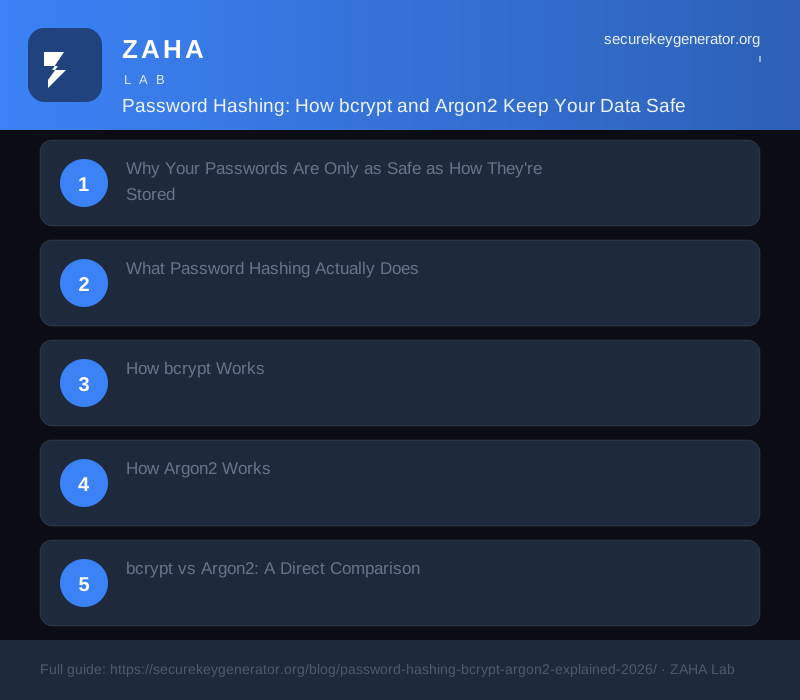
Understanding password hashing is essential for anyone serious about cybersecurity, whether you are a developer implementing authentication or a user evaluating how your credentials are stored. For complete endpoint protection against the threats that target credential databases, Kaspersky Premium provides real-time monitoring for data breaches, phishing attempts, and malicious activity that could compromise your passwords.
Why Your Passwords Are Only as Safe as How They're Stored
Every week, millions of stolen passwords appear on breach databases, and most of them are cracked within hours, not because encryption failed, but because the underlying hashing was weak. Password hashing is the last line of defence between an attacker with your database and full access to every account in it. Get it right, and even a full database dump is useless. Get it wrong, and MD5 hashes fall in seconds on commodity hardware.
The short answer: bcrypt and Argon2 are deliberately slow, memory-intensive algorithms designed to make brute-force attacks computationally expensive. They are not encryption, they are one-way transformations with built-in cost tuning. This article explains exactly how each works, how to configure them correctly, and which to use for your application.
---
What Password Hashing Actually Does
Hashing converts a plaintext password into a fixed-length string using a mathematical function. Unlike encryption, hashing is one-way, there is no key that reverses it. When a user logs in, you hash their submitted password and compare the result to the stored hash. If they match, authentication succeeds.
The problem with general-purpose hash functions like SHA-256 or MD5 is speed. SHA-256 can process over 10 billion hashes per second on a modern GPU (as benchmarked by Hashcat on an RTX 4090). An attacker with a list of common passwords can test them all in milliseconds.
Password hashing algorithms solve this by adding three properties:
- **Salting**, a random value appended to each password before hashing, ensuring identical passwords produce different hashes and defeating precomputed rainbow tables.
- **Work factor / cost**, a tunable parameter that controls how many iterations or how much memory the computation requires.
- **Key stretching**, repeated internal iterations that multiply the computational cost without changing the output format.
Together, these turn a millisecond operation into a 100–500ms operation, which is imperceptible to a real user but multiplies attacker cost by several orders of magnitude.
---
How bcrypt Works
bcrypt was published in 1999 by Niels Provos and David Mazières, based on the Blowfish cipher. It remains widely used because it is battle-tested, natively supported in most languages, and resistant to GPU parallelisation.
The bcrypt algorithm:
- Generates a 16-byte random salt.
- Combines the salt with the password and runs it through the Eksblowfish key schedule.
- Repeats the key schedule 2^cost times (where cost is your work factor, typically 10–14).
- Outputs a 60-character string containing the version, cost, salt, and hash, all in one value.
A bcrypt hash looks like this:
$2b$12$R9h/cIPz0gi.URNNX3kh2OPST9/PgBkqquzi.Ss7KIUgO2t0jWMUW
Breaking that down:
| Segment | Value | Meaning |
|---|---|---|
| $2b$ | 2b | bcrypt version |
| 12 | 12 | Cost factor (2^12 = 4,096 iterations) |
| R9h/cIPz0gi.URNNX3kh2OP | 22 chars | Base64-encoded salt |
| ST9/PgBkqquzi.Ss7KIUgO2t0jWMUW | Remaining | Base64-encoded hash |
One significant limitation: bcrypt truncates passwords at 72 bytes. Passwords longer than 72 characters are silently truncated before hashing, which means two different passwords that share the same first 72 bytes will produce the same hash. This is rarely a real-world problem, but it matters for high-security applications.
---
How Argon2 Works
Argon2 won the Password Hashing Competition in 2015, run by a panel of cryptographers. It comes in three variants: Argon2d (optimised against GPU attacks), Argon2i (optimised against side-channel attacks), and Argon2id (a hybrid, and the recommended default per RFC 9106).
Argon2 introduces memory hardness, it requires a configurable amount of RAM to compute, which directly limits parallelisation. An attacker cannot simply throw more GPU cores at it; they need proportional memory too, which is expensive to scale.
The three tunable parameters:
| Parameter | What it controls | Recommended minimum |
|---|---|---|
| Memory cost (m) | RAM required in kilobytes | 64 MB (65536 KB) |
| Time cost (t) | Number of passes over memory | 3 |
| Parallelism (p) | Number of threads used | 4 |
A reference benchmark from the Argon2 paper shows that at 64 MB / 3 passes / 4 threads, a single hash takes approximately 300ms on consumer hardware, roughly 3x slower than bcrypt at cost 12 on the same machine, while also requiring substantially more memory per attempt.
Argon2id is the right choice for most new applications. It is recommended by NIST SP 800-63B (the US government's digital identity guidelines) and OWASP's Password Storage Cheat Sheet.
---
bcrypt vs Argon2: A Direct Comparison
| Feature | bcrypt | Argon2id |
|---|---|---|
| Published | 1999 | 2015 |
| Password length limit | 72 bytes | No limit |
| Memory hardness | No | Yes |
| GPU resistance | Moderate | High |
| Parallelism control | No | Yes |
| OWASP recommended | Yes (legacy) | Yes (preferred) |
| NIST SP 800-63B | Acceptable | Preferred |
| RFC standard | No | RFC 9106 |
| Language support | Near-universal | Growing rapidly |
The practical verdict: if you are starting a new project, use Argon2id. If you are maintaining an existing system using bcrypt with a cost factor of 10 or higher, it is adequate, there is no urgent need to migrate, but plan to upgrade during a major refactor.
---
Choosing the Right Parameters
Parameter selection is where most implementations go wrong, either by using defaults from a 2012 tutorial or by cranking the cost so high the login endpoint becomes a denial-of-service vector.
**For bcrypt**, the cost factor controls how many iterations run (2^cost). OWASP currently recommends a minimum cost of 10, with 12 preferred for most applications. Cost 12 produces approximately 300ms on modern hardware; cost 14 is roughly 1.2 seconds.
**For Argon2id**, OWASP recommends:
- Memory: 64 MB minimum; 128 MB for higher-security applications
- Iterations: 3 minimum
- Parallelism: 4 (or match to your server's CPU core count)
Target a hashing time of 200–500ms per attempt. To calibrate this:
- Deploy your application on production-equivalent hardware.
- Run a timing loop that hashes a sample password at different settings.
- Find the setting that produces ~300ms.
- Set that as your configuration and document it.
- Review and increase every two years as hardware improves.
Avoid using time cost alone to compensate for reduced memory. Memory hardness is the primary defence against GPU parallelisation, reducing memory to speed up the algorithm defeats the purpose of using Argon2 over bcrypt.
---
Common Implementation Mistakes
Knowing which algorithm to use is half the battle. The other half is not undermining it in code.
**Mistake 1: Pre-hashing before bcrypt.** Some developers SHA-256 the password before passing it to bcrypt, thinking they are adding security. If the SHA-256 output is base64-encoded, it is 44 characters, well under the 72-byte limit. But if you use the raw binary output, you introduce all-zero bytes, which some bcrypt implementations truncate at the null byte, potentially reducing effective password length to near zero. Never pre-hash.
**Mistake 2: Storing the salt separately.** bcrypt and Argon2 both embed the salt in their output. You do not need to store it separately. If you are storing a salt column alongside a hash column, you are using a home-rolled scheme, which is almost certainly wrong.
**Mistake 3: Comparing hashes with string equality.** Hash comparison must use a constant-time comparison function to prevent timing attacks. Standard string equality (`==`) returns early on the first mismatch, which leaks information. Every major bcrypt/Argon2 library handles this internally, as long as you use the library's `verify()` function and not a raw string comparison, you are safe.
**Mistake 4: Not re-hashing on login.** When you increase your work factor, existing hashes were computed with the old cost. On a successful login, re-hash the user's password with the new parameters and update the stored hash. This transparently migrates users without requiring a password reset.
---
FAQs
Is bcrypt still secure in 2025?
Yes, bcrypt at cost factor 12 or higher remains secure for the vast majority of applications. Its primary weaknesses, the 72-byte password limit and lack of memory hardness, are theoretical concerns rather than practical ones for most threat models. However, new projects should prefer Argon2id, which offers stronger guarantees with better-understood modern cryptography.
What is the difference between hashing and encryption?
Encryption is reversible: given a key, you can recover the original data. Hashing is one-way: there is no mathematical inverse. For passwords, you want hashing, you should never need to recover the plaintext password, only verify that a submitted password matches the stored hash. If your system can display a user's password, it is broken by design.
Why not just use SHA-256 or SHA-512?
SHA-2 functions are designed for speed, that is the problem. Their intended use cases are file integrity verification and digital signatures, where throughput matters. An RTX 4090 can compute roughly 20 billion SHA-256 hashes per second. The same GPU on bcrypt at cost 12 produces around 15,000 hashes per second. That is a factor of over a million in attacker advantage eliminated purely by algorithm choice.
Can I use pepper alongside bcrypt or Argon2?
Yes, and it adds a meaningful layer of defence. A pepper is a secret value (stored in application configuration, not the database) that is combined with the password before hashing. If an attacker obtains the database but not the application secrets, the hashes cannot be cracked even offline. Combine it by concatenating it with the password or using HMAC before passing to the hash function. Ensure the pepper is at least 32 bytes of random data and managed as a secret (environment variable or secrets manager, never version-controlled).
How do I migrate users from MD5 or SHA-1 hashes?
You cannot directly rehash existing MD5/SHA-1 values to bcrypt, you do not have the plaintext. The practical approach is a layered migration: on successful login, take the verified plaintext, hash it with bcrypt or Argon2id, store the new hash, and mark the account as migrated. Users who never log in retain their old hash. Set a deadline, typically 90 to 180 days, and force a password reset for any accounts still on legacy hashes after that window. Forcing a reset is inconvenient; storing weak hashes indefinitely is a liability.