📋 Password Security Best Practices for 2026: Protect Everything
On this page
Password security is not just about creating strong passwords. It is about how you generate them, store them, manage them across dozens of accounts, respond to breaches, and protect yourself against evolving attack methods. This comprehensive guide covers every aspect of password security for 2026, incorporating the latest recommendations from NIST, NCSC, and OWASP.
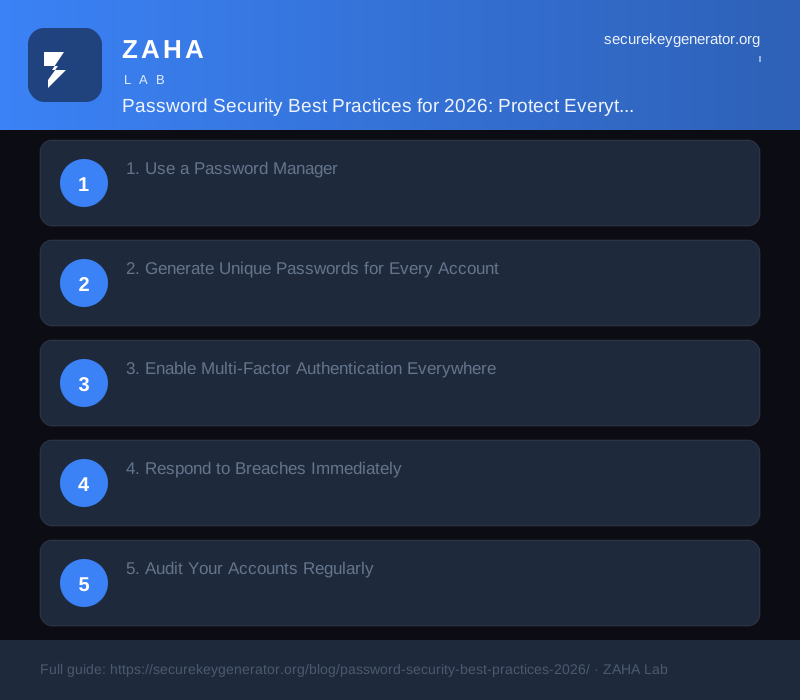
1. Use a Password Manager
A password manager is the single most impactful security tool you can adopt. It solves three fundamental problems: you only need to remember one strong master passphrase, every account gets a unique randomly generated password, and credentials are autofilled—eliminating phishing vulnerability from manual typing. Modern password managers also include breach monitoring, password health reports, and automatic password change suggestions.
Choose a manager with zero-knowledge architecture—your vault is encrypted on your device before being synced to the cloud. Look for published third-party security audits and support for FIDO2/WebAuthn for the vault itself. The master passphrase should be a 6-word diceware phrase, stored securely offline as backup.
2. Generate Unique Passwords for Every Account
Every single account should have its own unique password. Password reuse is the most common way attackers escalate from a minor breach to a full account takeover. Credential stuffing attacks—where attackers try username-password combinations from breaches against other services—are automated and test billions of combinations per hour.
A 2025 study by the NCSC found that 67% of people reuse passwords across multiple accounts. If you reuse passwords, a breach at a low-value forum can compromise your email, banking, and social media. The generator at SecureKeyGen.org makes unique passwords effortless—one click per account, saved directly to your password manager.
3. Enable Multi-Factor Authentication Everywhere
Even the strongest password can be bypassed. MFA adds a verification layer that makes credential theft alone insufficient. The gold standard is FIDO2 hardware security keys—phishing-resistant, immune to man-in-the-middle attacks, and supported by most major platforms. Authenticator apps (TOTP) are the next best option. SMS-based MFA should be avoided—SIM swap attacks remain a serious threat.
Enable MFA on every account that supports it: email, banking, social media, domain registrars, hosting providers, and especially your password manager. If a service offers multiple MFA options, register at least two—a primary method (hardware key or authenticator app) and a backup (recovery codes stored securely offline).
4. Respond to Breaches Immediately
When a service you use announces a breach, act immediately. Change the password for that specific account using a generator like SecureKeyGen.org. If you reused that password elsewhere (even though you should not), change those accounts too. Enable or verify MFA on the breached account. Check Have I Been Pwned to see if your email appears in other breaches.
For proactive monitoring, services like Kaspersky Premium include breach monitoring that alerts you when your credentials appear in new data breaches. This allows you to respond within hours instead of months. For business teams, Turbo VPN provides encrypted remote access that ensures corporate credentials are never exposed on compromised public networks.
5. Audit Your Accounts Regularly
Conduct a password security audit every three months. Use your password manager's built-in health report to identify weak, reused, or compromised passwords. Remove or rotate credentials for accounts you no longer use. Verify that MFA is still enabled on all critical accounts. Check that your master passphrase has not been changed without your knowledge.
Also audit your account recovery options. Ensure recovery email addresses and phone numbers are current. Remove accounts you no longer use—dormant accounts with old passwords are a security risk. Update your password manager emergency access settings to designate a trusted contact who can access your vault in case of emergency.
FAQs
What is the single most important password security practice?
Use a password manager. It enables every other best practice: unique passwords, strong generation, breach monitoring, and phishing protection.
How do I know if my password has been compromised?
Check Have I Been Pwned, use your password manager's breach monitoring feature, or subscribe to a service like Kaspersky Premium that monitors credential leaks.
Should I use a different password for every account?
Yes. Password reuse is the most common attack vector. With a password manager, unique passwords for every account require no extra effort.
What should I do if I suspect my password is compromised?
Change the password immediately using a CSPRNG generator. Enable MFA if not already active. Check for unauthorized access. Update any applications using that credential.
Sources
- NIST SP 800-63B Revision 4 (2024)
- NCSC Password Guidance 2024
- OWASP Credential Stuffing Prevention Cheat Sheet
- FIDO Alliance: WebAuthn Standard
- Have I Been Pwned: Annual Breach Statistics
Generate a secure key right now
Client-side. Zero network calls. Cryptographically random.
→ Open the generator⭐ Make SecureKeyGenerator your preferred source on Google