🔐 How to Create a Secure Password: Expert Recommendations for 2026
On this page
Creating a secure password in 2026 requires more than following a checklist of characters. Modern attackers use AI-powered tools, massive breach databases, and sophisticated pattern recognition. A password that seemed secure five years ago may now be crackable in minutes. This guide walks through the exact process for generating passwords that resist both current and near-future attack methods.
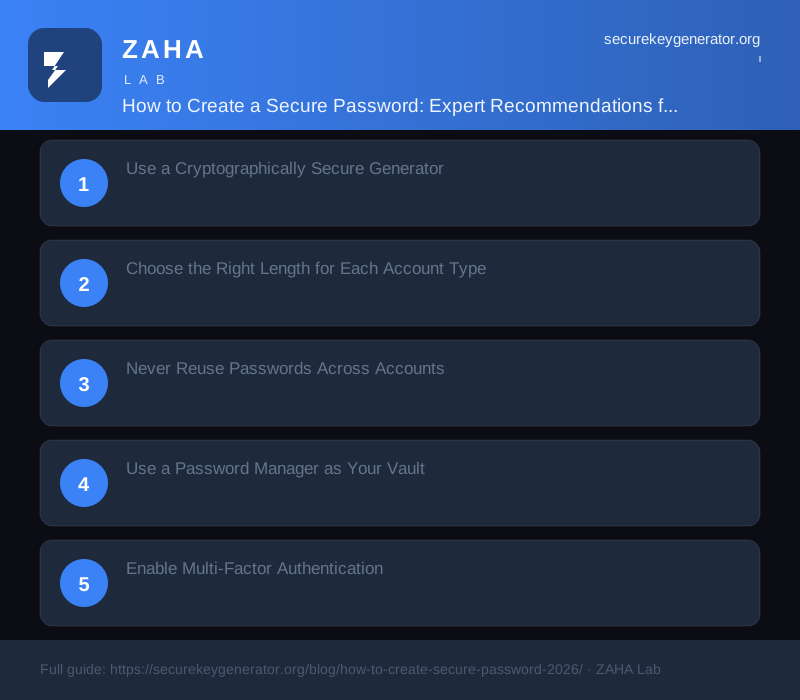
Use a Cryptographically Secure Generator
The single most important rule: never invent passwords yourself. Human brains follow predictable patterns, we use names, dates, places, and common substitutions. Even when you think you are being random, your brain will unconsciously fall into patterns that attackers exploit.
Always use a cryptographically secure password generator. The generator at SecureKeyGen.org uses the Web Crypto API (window.crypto.getRandomValues) backed by the operating system's hardware entropy sources. Every generated password is independent and unpredictable. All processing happens entirely in your browser, no data is ever sent to a server.
Choose the Right Length for Each Account Type
Different accounts need different levels of protection. For low-risk accounts (newsletters, forums, throwaway signups): 12-14 characters with at least 50 bits of entropy. For standard accounts (social media, shopping, streaming): 16-18 characters with at least 70 bits of entropy. For high-value accounts (email, banking, password manager master password): 20+ characters or a 6+ word diceware passphrase with 80+ bits of entropy.
The generator at SecureKeyGen.org defaults to 16 characters for everyday use and offers up to 64 characters for maximum security. For your master password manager credential, use a 6-word diceware passphrase generated separately.
Never Reuse Passwords Across Accounts
Password reuse is the single biggest security risk for most people. If your email password is the same as your forum password and the forum gets breached, attackers now have your email credentials. They will try that email-password combination on banking sites, social media, and other services, automated credential stuffing attacks test billions of combinations per hour.
Every account should have a unique, randomly generated password stored in your password manager. The only exceptions are throwaway accounts you will never use again. For sharing single-use credentials securely, Trekmail's encrypted email ensures your shared passwords are never exposed in transit.
Use a Password Manager as Your Vault
A password manager eliminates the human limitation of remembering dozens of unique passwords. You only need to remember one strong master passphrase. The manager autofills credentials across your devices and platforms. Most modern managers include built-in password generators, breach monitoring, and automatic password change suggestions.
When choosing a password manager, look for zero-knowledge architecture (your vault is encrypted before it leaves your device), published security audits, and cross-platform support. Store your master passphrase, a 6-word diceware phrase, in a safe or lockbox as a backup. For accessing your manager from untrusted networks, Hide My Name VPN ensures your vault is never unlocked over an insecure connection.
Enable Multi-Factor Authentication
Even the strongest password is vulnerable if an attacker can bypass it through a different vector. MFA adds a second verification factor, something you have (a phone, a hardware key), something you are (biometrics), or something you know (a backup code), that makes credential theft alone insufficient for account access.
FIDO2 hardware security keys are the gold standard for MFA in 2026. They are phishing-resistant, cannot be intercepted by man-in-the-middle attacks, and work across most major platforms. Use SMS-based MFA only as a last resort, SIM swap attacks remain a serious threat. For comprehensive protection, Kaspersky Premium bundles password management with endpoint security and credential monitoring.
FAQs
Can I use a passphrase instead of a password?
Yes, and it is recommended for your master credentials. A 5-6 word diceware passphrase provides equivalent security to a 12-15 character random password with better memorability.
How often should I regenerate my passwords?
Only when a service reports a breach or you suspect compromise. NIST has retired the 90-day rotation rule. Static passwords are not inherently weaker over time.
Should I let my browser save passwords?
Built-in browser password managers are better than nothing but less secure than dedicated password managers. Browser managers lack advanced features like breach monitoring, credential sharing, and zero-knowledge encryption.
What is the most secure way to share a password?
Use a password manager's built-in sharing feature, a temporary secure link, or encrypted email like Trekmail. Never share passwords via text message, email, or messaging apps.
Sources
- NIST SP 800-63B Revision 4 (2024)
- NCSC Password Guidance 2024
- OWASP Credential Stuffing Prevention Cheat Sheet
- FIDO Alliance: WebAuthn Standard
- Mozilla Developer Network: Web Crypto API
Generate a secure key right now
Client-side. Zero network calls. Cryptographically random.
→ Open the generator⭐ Make SecureKeyGenerator your preferred source on Google