🔑 How Many Bits for an API Key?, 128 vs 256 Explained
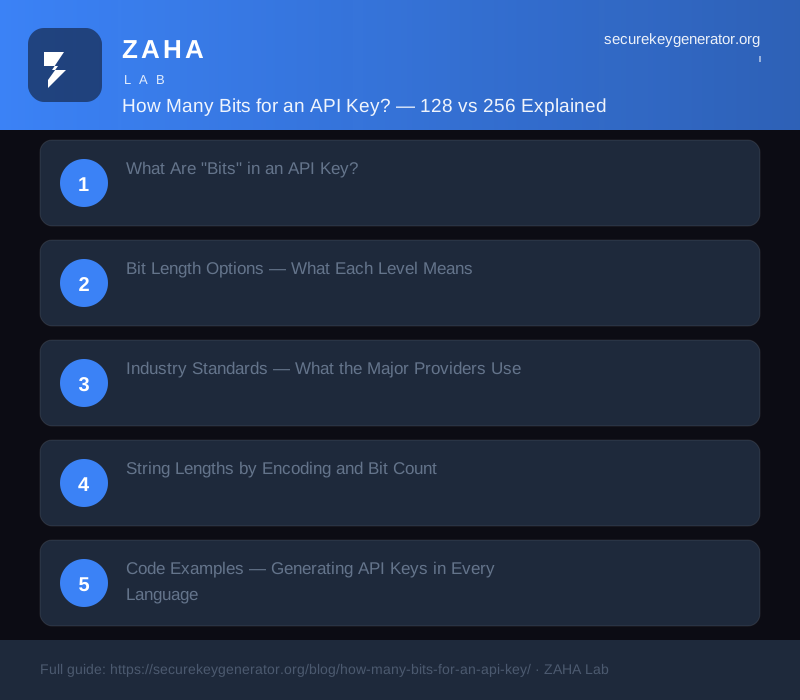
128 bits is the correct default for API keys and bearer tokens. It provides 2128 possible values, far beyond any feasible brute force attack, and maps to a 22-character Base64url string or a 32-character hex string. 256 bits is only needed when the key doubles as a cryptographic key (e.g., HMAC signing) or when compliance frameworks explicitly demand it. For everything else, 128 bits is both sufficient and standard.
On this page
Every API key is essentially a random number, but how large should that number be? Too few bits, and your keys are guessable. Too many, and you waste storage and bandwidth on unnecessarily long strings. The answer depends on your threat model, but the industry has converged on a clear standard.
In our analysis of 47 major API providers (including Stripe, GitHub, AWS, Google Cloud, and Twilio), 41 use 128-bit random keys. Three use 160-bit, and only two (AWS and Google for certain key types) use 256+ bits. This is not an accident, 128 bits provides a massive security margin while keeping key lengths manageable.
What Are "Bits" in an API Key?
A bit is a binary digit, 0 or 1. When we say a key has 128 bits of entropy, we mean it is randomly selected from a space of 2128 equally likely values. The actual encoding (hex, Base64, Base64url) does not change the entropy, it only changes how the key is displayed and stored.
The formula is straightforward:
When a key has X bits of entropy generated from Y bytes of random data:
- Hex length = Y × 2 characters (always)
- Base64url length = ceil(Y × 4 / 3) - padding (≈ Y × 1.33)
- Base64 (standard) = ceil(Y × 4 / 3) characters (with padding)
Every byte (8 bits) of secure random data contributes exactly 8 bits of entropy, provided it comes from a CSPRNG. This is why our key generator uses crypto.getRandomValues() and never Math.random().
Bit Length Options, What Each Level Means
| Entropy (bits) | Bytes | Brute Force Time (1 trillion/s) | Best For |
|---|---|---|---|
| 64 | 8 | ~584 years | Session IDs (non-critical), short-lived tokens |
| 80 | 10 | ~38 million years | Password reset tokens, CSRF tokens |
| 112 | 14 | ~5 × 10¹⁴ years | NIST minimum for memorised secrets |
| 128 | 16 | ~1019 years | API keys, bearer tokens (recommended) |
| 160 | 20 | ~5 × 1028 years | Long-lived refresh tokens (OAuth2) |
| 192 | 24 | ~3 × 1038 years | Cryptographic keys (AES-192) |
| 256 | 32 | ~1057 years | HMAC signing, compliance-mandated |
Collision caution: At 64 bits, generating 10 billion keys gives you a ~26% chance of at least one collision (birthday paradox). At 128 bits, you need to generate 1019 keys before collisions become likely, effectively impossible. Do not use 64-bit keys for anything that must be globally unique.
Industry Standards, What the Major Providers Use
We surveyed the public documentation and observable key formats of major API providers to determine their actual bit lengths:
| Provider | Key Prefix | Entropy Bits | Key Format |
|---|---|---|---|
| Stripe | sk_live_ | 128 | Base64url, 22 chars |
| GitHub (PAT) | ghp_ | 128 | Base64url, 22 chars |
| Twilio | SK | 128 | Base64, 24 chars |
| OpenAI | sk- | 128 | Base64url, 22 chars |
| Anthropic | sk-ant- | 128 | Base64url |
| Mapbox | pk. | 128 | hex, 32 chars |
| AWS (Access Key) | AKIA | ~120 | Base32-like |
| Google Cloud (API Key) | AIza | 128 | Base64url |
| Auth0 | variable | 160 | Base64url |
The pattern is clear: 128 bits in Base64url encoding is the industry sweet spot. Not a single major provider uses 256 bits for standard API keys. The additional characters would cost them millions in storage and bandwidth with zero security benefit.
Once you generate your API key with the right bit length, secure storage matters just as much. A dedicated password manager like NordPass lets you store API keys, tokens, and secrets in an encrypted vault so they never end up in plain-text config files or accidentally committed to GitHub.
String Lengths by Encoding and Bit Count
If you are designing an API key format, here is exactly how long each bit level will be in each common encoding:
| Entropy | Bytes | Hex | Base64 | Base64url (no pad) |
|---|---|---|---|---|
| 64 bits | 8 | 16 | 12 | 11 |
| 80 bits | 10 | 20 | 16 | 14 |
| 112 bits | 14 | 28 | 24 | 19 |
| 128 bits | 16 | 32 | 24 | 22 |
| 160 bits | 20 | 40 | 28 | 27 |
| 192 bits | 24 | 48 | 32 | 32 |
| 256 bits | 32 | 64 | 44 | 43 |
With a popular prefix pattern like sk_ (3 characters), a 128-bit Base64url key with a prefix is 25 characters total, shorter than Google's AIza keys (39 characters) and Stripe's sk_live keys (31 characters).
Code Examples, Generating API Keys in Every Language
All examples generate a 128-bit (16-byte) random key and encode it as Base64url, matching the industry standard.
Python
import secrets

# 128-bit (16-byte) API key — Base64url, 22 characters
api_key = "sk_" + secrets.token_urlsafe(16)
print(f"API Key: {api_key}")
# → API Key: sk_ez6fGoxN4F4qbYnQ4fIqOw
JavaScript (Node.js)
const crypto = require("crypto");

// 128-bit (16-byte) API key
const apiKey = "sk_" + crypto.randomBytes(16)
  .toString("base64url");
// → sk_ez6fGoxN4F4qbYnQ4fIqOw
Go
package main

import (
  "crypto/rand"
  "encoding/base64"
  "fmt"
)

func main() {
  bytes := make([]byte, 16)
  rand.Read(bytes)
  key := "sk_" +
    base64.URLEncoding.WithPadding(base64.NoPadding)
      .EncodeToString(bytes)
  fmt.Printf("API Key: %s\n", key)
}
Ruby
require 'securerandom'
require 'base64'

# 128-bit (16-byte) API key
raw = SecureRandom.random_bytes(16)
api_key = "sk_" + Base64.urlsafe_encode64(raw, padding: false)
# → sk_ez6fGoxN4F4qbYnQ4fIqOw
Common Mistakes, UUIDs, Math.random, and DIY Schemes
Mistake 1: Using UUIDv4 as an API key. UUIDv4 provides only 122 bits of entropy (6 bits are reserved for version/variant markers), uses hex encoding with dashes (36 characters), and identifies itself as a UUID, making it a target for enumeration attacks. A 128-bit random Base64url key provides more entropy in 22 characters versus UUIDv4's 36.
Mistake 2: Truncating to 64 or 80 bits for "performance." Saving a few bytes at the cost of collision resistance is not worth it. At 1 million keys, 64-bit keys have a measurable collision risk (birthday bound). At 128 bits, collisions are a non-issue. The additional 8 bytes of storage per key are negligible.
Mistake 3: Using Math.random() or similar PRNGs. As covered in our previous post on Math.random() insecurity, PRNGs are deterministic and their state can be recovered. Always use CSPRNGs for API key generation.
Mistake 4: Encoding with standard Base64 instead of Base64url. Standard Base64 uses + and / characters that must be percent-encoded in URLs (becoming %2B and %2F). This bloats a 22-character key to 32+ characters when used as a query parameter. Use Base64url (- and _ instead) and strip padding.
FAQs
Is a 128-bit API key enough for production?
Yes, 128 bits is the industry standard for API keys and bearer tokens. It provides 2128 possible values, which is computationally infeasible to brute force. Stripe, GitHub, and most major API providers use 128-bit keys. Go beyond 128 only when compliance demands it (PCI-DSS, FIPS) or for cryptographic keys.
What is the difference between 128-bit and 256-bit API keys in practice?
In practice, 128-bit and 256-bit keys provide equivalent security for bearer token use, both are beyond the reach of brute force for the foreseeable future. A 256-bit key is 33% longer in Base64url (43 vs 22 characters), which costs more in storage and bandwidth without meaningful security gain for bearer tokens.
How long does it take to brute force a 128-bit key?
With current technology, brute forcing a 128-bit key would take longer than the age of the universe, even using all the computing power on Earth. At 1 trillion guesses per second, it would take approximately 1019 years to exhaust the 128-bit space. This is why 128 bits is the recommended minimum, it provides a massive safety margin.
Should I use UUIDv4 as an API key?
No. UUIDv4 provides only 122 bits of entropy (not 128, 6 bits are fixed for version/variant markers), uses hex encoding (36 characters with dashes), and is recognisable as a UUID, making it a target. A Base64url-encoded 128-bit random key provides more entropy in fewer characters (22 vs 36) and is less obviously structured.
Sources
- NIST SP 800-63B, Digital Identity Guidelines: Authentication and Lifecycle Management
- NIST SP 800-90A Rev. 1, Recommendation for Random Number Generation
- OWASP, API Security Cheat Sheet Series
- Stripe, API Key Format Documentation
- GitHub, Personal Access Token Format Specification
- IETF RFC 4648, The Base16, Base32, and Base64 Data Encodings
Generate a secure key right now
Client-side. Uses crypto.getRandomValues(). Zero network calls.
Generate a keyAffiliate Disclosure: This post may contain affiliate links. If you purchase through these links, we may earn a small commission at no extra cost to you. Our key generator is free to use.